Executive Summary
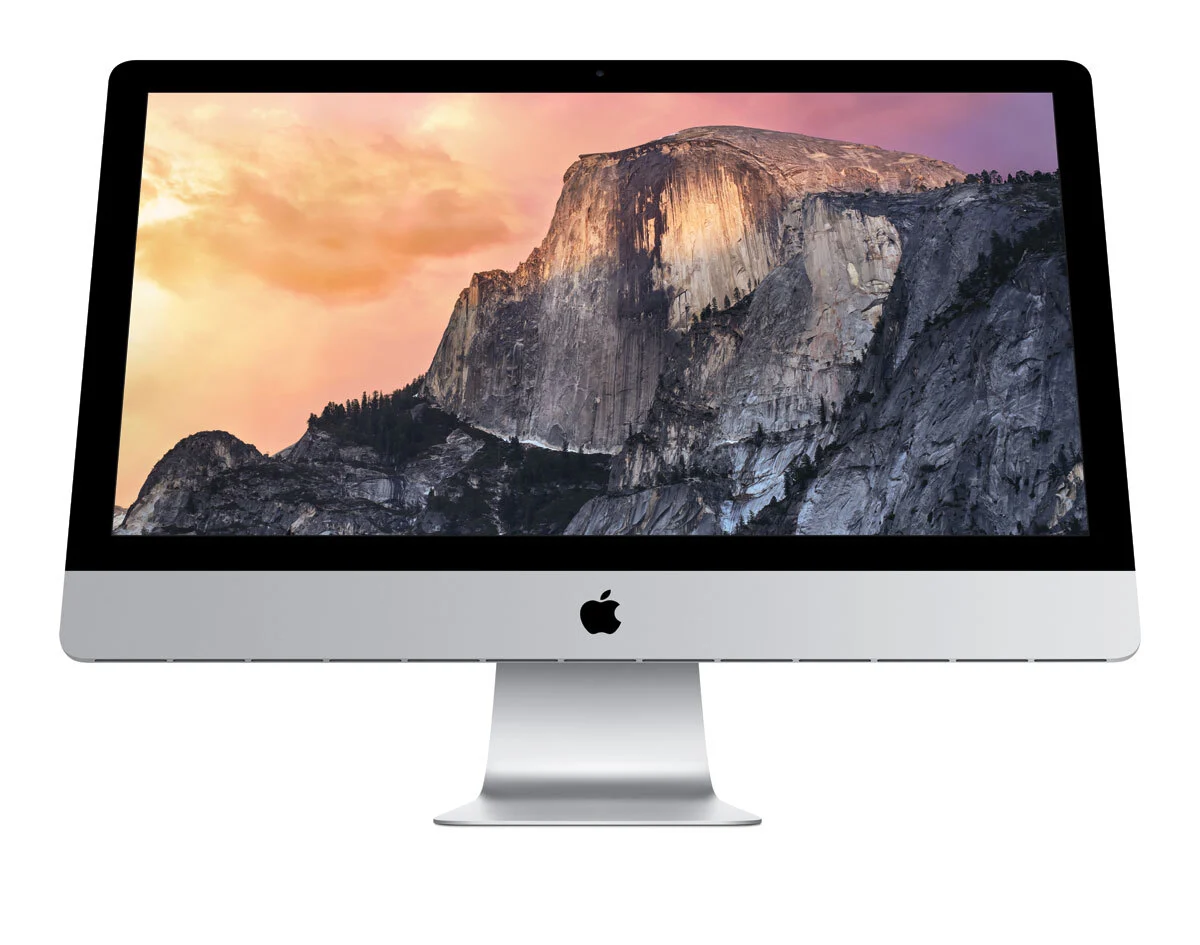
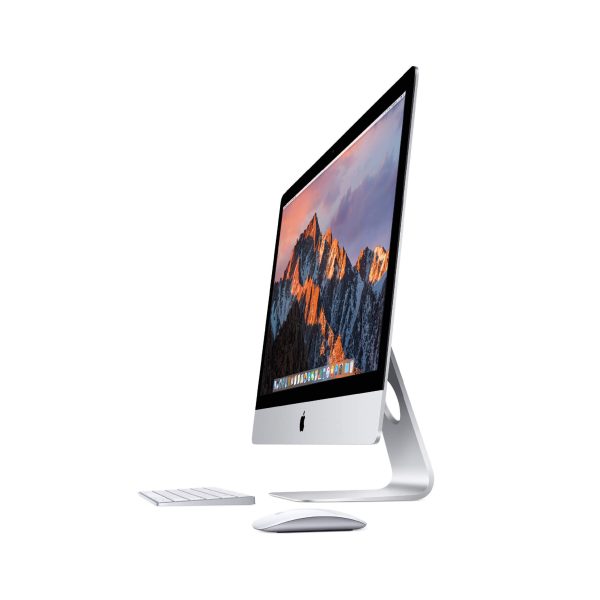
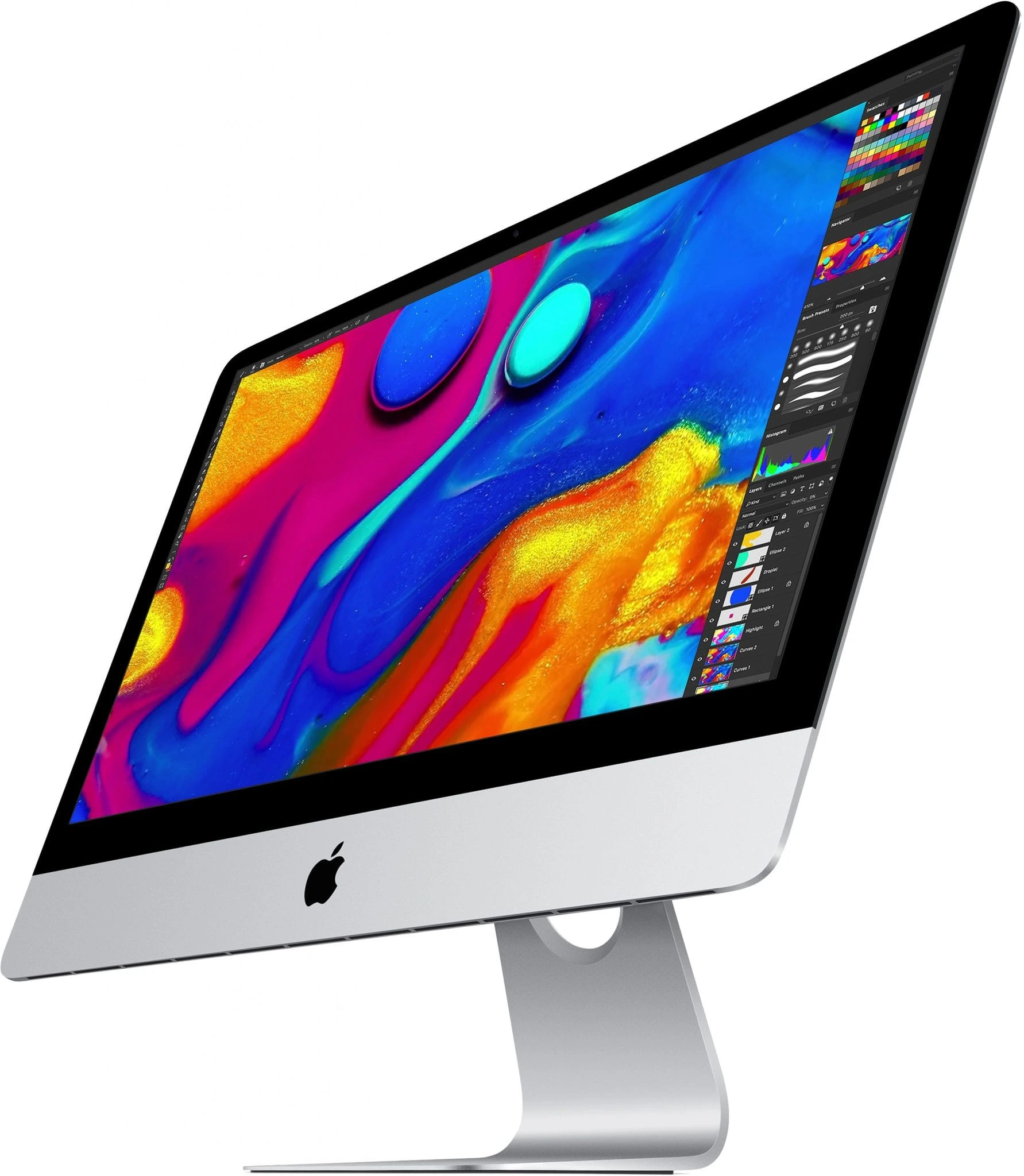
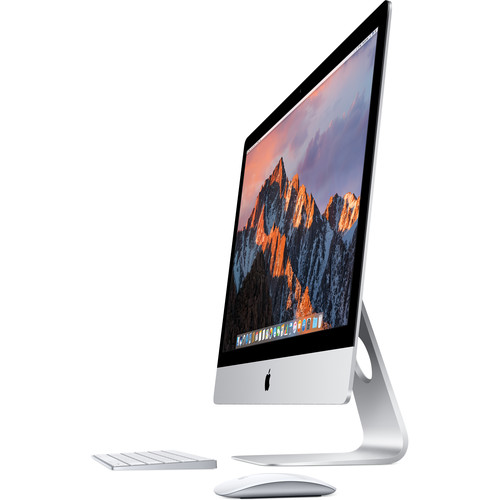
The 2015 27-inch iMac with Retina 5K Display represents a landmark achievement in desktop computing, introducing the world's first 5K all-in-one display with a staggering 14.7 million pixels—7 times more than standard HD. This professional-grade workstation combines breathtaking visual fidelity with serious computational power, targeting creative professionals, photographers, video editors, and power users who demand both expansive screen real estate and pixel-perfect clarity. The 5K display's 5120 x 2880 resolution delivers unprecedented detail that makes individual pixels virtually indistinguishable at normal viewing distances, while the P3 wide color gamut ensures accurate color reproduction for critical visual work. Beyond its revolutionary display, this iMac maintains the practical advantage of user-accessible RAM upgrades via a convenient door on the back—a feature eliminated in later models—making it both a powerhouse for today's tasks and a future-proof investment through easy memory expansion. Its combination of cutting-edge display technology, robust performance, and Apple's signature design makes it one of the most significant iMac releases in Apple's history.
Detailed Specifications
1. Display Technology (Revolutionary 5K)
- Screen Size: 27-inch diagonal (diagonal viewable area)
- Resolution: 5120 x 2880 pixels (5K)
- Pixel Density: 218 pixels per inch (PPI)
- Total Pixels: 14.7 million (7x more than 1080p HD)
- Display Technology: IPS (In-Plane Switching) panel
- Brightness: Up to 400 nits
- Color Gamut: P3 wide color gamut
- Color Depth: 10-bit (1.07 billion colors)
- Contrast Ratio: 1000:1
- Viewing Angles: 178° both horizontal and vertical
- Anti-reflective Coating: Yes, significant reduction in reflections
- Refresh Rate: 60Hz
- Key Innovations:
- First 5K all-in-one display in the world
- Timing Controller (T-Con) chip developed specifically for 5K
- Pixel doubling mode for perfect 2560 x 1440 HiDPI scaling
- Reference-quality display suitable for professional color work
2. Processor Options (Skylake Architecture)
- Base Configuration: Intel Core i5-6500 (3.2 GHz, turbo up to 3.6 GHz)
- Available Upgrades:
- Core i5-6600 (3.3 GHz, turbo up to 3.9 GHz)
- Core i7-6700K (4.0 GHz, turbo up to 4.2 GHz) - Special Order
- Microarchitecture: Skylake (6th Generation)
- Cores/Threads:
- i5: 4 Cores, 4 Threads
- i7: 4 Cores, 8 Threads (Hyper-Threading)
- Cache:
- i5: 6MB L3 Cache
- i7: 8MB L3 Cache
- TDP: 65W (i5-6500/6600), 91W (i7-6700K)
- Manufacturing Process: 14nm
- Performance Features:
- Intel Turbo Boost Technology 2.0
- Intel Hyper-Threading Technology (i7 only)
- Intel Virtualization Technology (VT-x, VT-d)
- AVX2 instruction set support
- Integrated Intel HD Graphics 530 (disabled when discrete GPU present)
3. Memory Configuration & Upgradeability
- Standard RAM: 8GB 1867MHz DDR3 (two 4GB modules)
- Maximum Supported RAM: 32GB officially (64GB unofficially tested)
- Memory Slots: 4 SO-DIMM slots (all user-accessible)
- Memory Specifications:
- Type: PC3-14900 (1867MHz) DDR3
- Timings: CL13
- Voltage: 1.35V (DDR3L)
- Dual-channel architecture (when using 2 or 4 matched sticks)
- Upgrade Process:
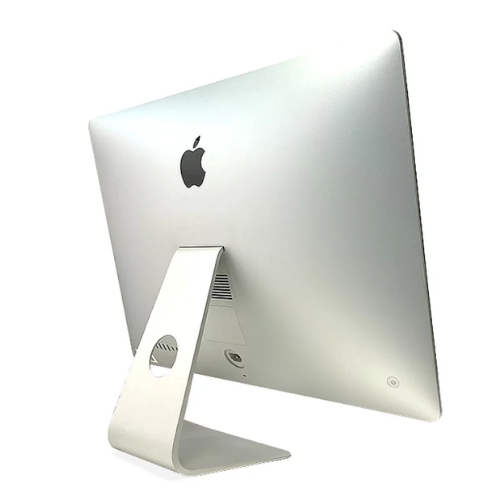
- Access via small door on back (no tools required)
- Pop-out panel reveals all 4 RAM slots
- Apple-approved user upgrade (does not void warranty)
- Recommended upgrade path: Add 2x8GB for 24GB total or 4x8GB for 32GB
- Significance: Last 27-inch iMac with user-accessible RAM slots
4. Storage Options & Performance
- Available Configurations:
- 1TB Fusion Drive (24GB SSD + 1TB 7200rpm HDD)
- 2TB Fusion Drive (128GB SSD + 2TB 7200rpm HDD)
- 3TB Fusion Drive (128GB SSD + 3TB 7200rpm HDD)
- 256GB PCIe-based SSD
- 512GB PCIe-based SSD
- 1TB PCIe-based SSD
- 2TB PCIe-based SSD (Special Order)
- Fusion Drive Technology:
- Intelligent tiered storage system
- Automatically moves frequently used files to SSD portion
- MacOS managed - transparent to user
- Best of both worlds: SSD speed for common tasks, HDD capacity for storage
- SSD Performance (PCIe 2.0 x4):
- Read speeds: Up to 2,000 MB/s
- Write speeds: Up to 1,600 MB/s
- 4KB random read: Up to 400,000 IOPS
- 4KB random write: Up to 370,000 IOPS
- Apple proprietary blade SSD design (not standard M.2)
- Recommended Configuration: 512GB SSD minimum for professional use
5. Graphics Performance (AMD Radeon R9 Series)
- Base Configuration: AMD Radeon R9 M380 with 2GB GDDR5
- Available GPU Upgrades:
- AMD Radeon R9 M390 with 2GB GDDR5
- AMD Radeon R9 M395 with 2GB GDDR5
- AMD Radeon R9 M395X with 4GB GDDR5 (Special Order)
- AMD R9 M395X Specifications (Top Configuration):
- Architecture: GCN 2.0 (Tonga Pro)
- Stream Processors: 2,048
- Core Clock: 723 MHz
- Memory: 4GB GDDR5 @ 5,000 MHz
- Memory Interface: 256-bit
- Memory Bandwidth: 160 GB/s
- Compute Performance: 2.96 TFLOPS
- Display Support:
- Native 5K @ 60Hz via internal display
- External displays: Up to 3840 x 2160 @ 60Hz (Thunderbolt 2)
- Dual external 4K displays supported
- HDMI 1.4 output (limited to 4K @ 30Hz)
- Professional Application Performance:
- Excellent for Final Cut Pro X, Adobe Premiere Pro
- Capable of moderate 3D rendering in Cinema 4D, Blender
- Photo editing in Lightroom/Photoshop with large files
- Light to moderate gaming at lower resolutions
6. Design & Build Quality
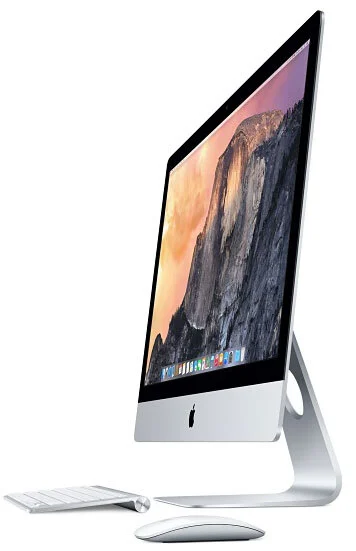
- Materials: Single piece of aluminum (unibody construction)
- Dimensions:
- Height: 51.6 cm (20.3 inches)
- Width: 65.0 cm (25.6 inches)
- Depth: 20.3 cm (8.0 inches) at thickest point
- Edge thickness: 5 mm (0.2 inches)
- Weight: 9.54 kg (21.0 pounds)
- Color: Silver aluminum with black bezel
- Stand: Aluminum stand with -5° to 25° tilt adjustment
- VESA Mount: Optional VESA mount adapter ($39) converts to 100x100mm VESA
- Build Quality:
- Premium materials and construction
- Minimalist design with no visible screws on front
- Precision-machined aluminum enclosure
- Glass laminated directly to LCD for reduced reflections
- Environmental Features:
- Arsenic-free display glass
- Mercury-free LED backlighting
- BFR-free and PVC-free internal components
- Highly recyclable aluminum enclosure
7. Connectivity & Expansion
- Rear Ports (Left to Right):
- SDXC card slot (UHS-I, supports up to 2TB SD cards)
- 4 x USB 3.0 ports (5 Gbps, compatible with USB 2.0)
- 2 x Thunderbolt 2 ports (20 Gbps each, Mini DisplayPort compatible)
- Gigabit Ethernet port (10/100/1000BASE-T)
- Kensington lock slot
- Headphone/optical digital audio output (3.5mm)
- Wireless Connectivity:
- Wi-Fi: 802.11a/b/g/n/ac (Wi-Fi 5, 3-stream)
- Bluetooth: 4.0
- Thunderbolt 2 Capabilities:
- Daisy-chain up to 6 devices
- Supports DisplayPort 1.2
- Can drive Apple Thunderbolt Display (2560 x 1440)
- Compatible with Thunderbolt 1 devices
- External Display Support:
- Up to two external 4K displays @ 60Hz via Thunderbolt 2
- Or one 4K display via HDMI (30Hz limitation)
- Total of 3 displays including internal 5K
8. Audio & Video Capabilities
- Webcam: FaceTime HD camera (720p resolution)
- Microphones: Dual microphones with:
- Noise reduction technology
- Beamforming for directional audio capture
- Studio-quality recording capability
- Speakers: Stereo speaker system with:
- Dual bass radiators for enhanced low-frequency response
- Wide stereo sound field
- Support for Dolby Digital audio playback
- Audio Output:
- 3.5mm headphone/optical digital audio output
- Supports Apple headphones with remote and microphone
- Optical digital audio output (up to 24-bit/96kHz)
- Video Playback:
- Hardware-accelerated H.264 and HEVC decoding
- 5K video playback capable (limited by content availability)
- 4K Netflix/YouTube streaming supported
- HDCP 2.2 support for protected 4K content
9. Software & Operating System
- Original OS: macOS 10.11 El Capitan
- Latest Officially Supported macOS: macOS 12 Monterey
- Latest Possible macOS: macOS 13 Ventura via OpenCore Legacy Patcher
- Included Applications (Original):
- iLife Suite: Photos, iMovie, GarageBand
- iWork Suite: Pages, Numbers, Keynote
- Productivity: Mail, Safari, Calendar, Notes, Reminders
- Creative: Preview, QuickTime Player, iTunes
- Boot Camp: Officially supports Windows 10 (64-bit)
- Virtualization: Excellent performance with Parallels Desktop, VMware Fusion
- Professional Software Compatibility:
- Adobe Creative Cloud (Photoshop, Illustrator, Premiere Pro, etc.)
- Final Cut Pro X, Logic Pro X
- DaVinci Resolve (limited by GPU VRAM)
- Cinema 4D, Blender, AutoCAD
10. Power & Thermal Management
- Power Supply: Internal 250W power supply
- Voltage: 100-240V AC, 50-60Hz
- Power Consumption:
- Idle: 45W
- Typical use: 85W
- Maximum (CPU+GPU load): 210W
- Energy Star 6.1 certified
- Cooling System:
- Single large fan with variable speed control
- Two heat pipes for CPU cooling
- Vapor chamber for GPU cooling (higher-end models)
- Generally quiet operation except under heavy sustained load
- Thermal Design:
- Intake vents along bottom edge
- Exhaust through center of rear enclosure
- Designed to maintain performance under sustained loads
The 5K Display: Technical Achievement
Display Engineering Breakthrough:
- Pixel Density: 218 PPI exceeds "Retina" threshold at normal viewing distance
- Timing Controller Innovation: Custom T-Con chip required to drive 5K resolution
- Standard DisplayPort 1.2 couldn't handle 5K @ 60Hz
- Apple developed custom timing controller with two DisplayPort streams
- Seamlessly combines two 2560x2880 streams into single 5120x2880 image
- Glass Lamination: Optical bonding eliminates air gap between glass and LCD
- Reduces reflections by 75% compared to previous iMacs
- Improves contrast and color perception
- Creates "image painted on glass" effect
Professional Color Performance:
- P3 Color Gamut: 25% wider than sRGB
- Better reds and greens for more vibrant images
- Ideal for digital cinema, photography, and print work
- Factory Calibration: Each display individually calibrated
- Delta-E < 2.0 (excellent color accuracy)
- Consistent gamma (2.2)
- Uniform brightness across entire panel
- Professional Applications:
- Photo editing with accurate color representation
- Video editing with proper color grading
- Graphic design with precise detail visibility
- Medical imaging, scientific visualization
Performance Benchmarks
CPU Performance (Geekbench 5):
- Core i5-6500:
- Single-Core: 850-900
- Multi-Core: 2,900-3,100
- Core i7-6700K:
- Single-Core: 1,000-1,050
- Multi-Core: 3,800-4,000
- Modern Comparison: Roughly equivalent to 10th-gen Core i3 in single-core, 8th-gen i5 in multi-core
GPU Performance (3DMark Time Spy):
- R9 M380 (2GB): 800-900 points
- R9 M390 (2GB): 1,100-1,200 points
- R9 M395X (4GB): 1,600-1,800 points
- Gaming Performance (R9 M395X):
- 1080p Medium settings: 60+ FPS in most games
- 1440p Medium settings: 30-45 FPS in modern games
- 5K Gaming: Not recommended (requires significant resolution scaling)
Storage Performance:
- Fusion Drive (1TB):
- Sequential Read: 500-600 MB/s (SSD cache), 120 MB/s (HDD)
- Boot Time: 25-35 seconds
- Application Launch: Good for cached applications
- PCIe SSD (512GB):
- Sequential Read: 1,800-2,000 MB/s
- Sequential Write: 1,400-1,600 MB/s
- Boot Time: 10-15 seconds
- Application Launch: Near-instant for most applications
Target Market & Professional Use Cases
Primary User Groups:
- Creative Professionals: Photographers, videographers, graphic designers
- Video Editors: Final Cut Pro X, Premiere Pro users needing timeline space
- Photographers: Lightroom/Photoshop users working with high-resolution images
- Music Producers: Logic Pro X users needing multiple plugin windows
- Developers/Programmers: Multiple code windows, documentation, debugging tools
- Financial Professionals: Multiple spreadsheets, charts, data analysis tools
- Academic Researchers: Data visualization, multiple reference materials
Professional Workflows:
- 4K Video Editing: Timeline, preview, effects panels all visible simultaneously
- Photo Editing: Full-resolution image with tools palettes visible
- Music Production: Mixer, tracks, plugins all on one screen
- Software Development: Code editor, terminal, browser, documentation
- Data Analysis: Spreadsheets, charts, source data, results
Screen Real Estate Advantage:
- Equivalent to: Four 1440p displays in a 2x2 grid
- Pixel Comparison:
- 5K: 14.7 million pixels
- 4K: 8.3 million pixels
- 1440p: 3.7 million pixels
- 1080p: 2.1 million pixels
- Productivity Impact: Studies show 20-30% productivity increase with large, high-resolution displays
Upgrade Paths & Long-Term Viability
RAM Upgrades (Simplest Upgrade):
- Recommended: 32GB (4x8GB) DDR3L 1866MHz
- Maximum Tested: 64GB (4x16GB) - works but not officially supported
- Cost: $100-150 for 32GB upgrade kit
- Impact: Significant improvement for multitasking, large files
Storage Upgrades:
- Internal SSD Upgrade: Difficult (requires display removal) but possible
- Apple proprietary blade SSD to SATA adapter available
- Standard NVMe drives with adapter may work
- External Solutions: Recommended for most users
- Thunderbolt 2 SSD: Nearly internal SSD speeds
- USB 3.0 SSD: Good performance for projects
- NAS: For shared storage and backups
Other Upgrades:
- Wi-Fi/Bluetooth: Can be upgraded to 802.11ac/Bluetooth 4.2 with compatible card
- Thermal Improvements: Thermal paste replacement can improve cooling
- External GPU: Possible via Thunderbolt 2 (limited by bandwidth)
Modern macOS Compatibility:
- Official Support: Up to macOS 12 Monterey
- Unofficial Support: macOS 13 Ventura/14 Sonoma via OpenCore Legacy Patcher
- Security Updates: Still receiving security updates for supported macOS versions
- Application Support: Most applications still support Intel Macs
Comparison with Other iMacs
vs. iMac 27" (2014):
- 2015 Advantages: 5K display, Skylake processors, faster PCIe SSDs, better GPUs
- 2014 Advantages: Lower cost, similar RAM upgradeability
vs. iMac 27" (2017):
- 2015 Advantages: User-upgradeable RAM, lower cost on used market
- 2017 Advantages: Kaby Lake CPUs, faster SSDs, better GPUs, longer macOS support
vs. iMac 27" (2020 - Last Intel iMac):
- 2015 Advantages: Significantly lower cost, user-upgradeable RAM
- 2020 Advantages: Much faster CPUs/GPUs, T2 chip, better display, nano-texture option
vs. iMac 24" M1 (2021):
- 2015 Advantages: Larger display, user-upgradeable RAM, more ports
- M1 Advantages: Much faster performance, better efficiency, modern design, longer support
Common Issues & Solutions
1. GPU Issues (Particularly R9 M395X):
- Symptoms: Screen artifacts, kernel panics, overheating under load
- Causes: Thermal paste degradation, dust accumulation, GPU aging
- Solutions:
- Clean internal dust
- Replace thermal paste on CPU and GPU
- Use Macs Fan Control to adjust fan curves
- External GPU via Thunderbolt 2 as last resort
2. Fusion Drive Performance Degradation:
- Symptoms: Slowing over time, beachballing, slow file operations
- Solutions:
- Separate Fusion Drive into SSD and HDD volumes
- Replace with SSD (internal or external)
- Regular maintenance (disk verification, permissions repair)
3. Wi-Fi/Bluetooth Interference:
- Symptoms: Dropped connections, slow speeds, Bluetooth device issues
- Solutions:
- Reset SMC and NVRAM
- Replace Wi-Fi/Bluetooth card (common upgrade)
- Use Ethernet for stable connection
4. Display Issues:
- Symptoms: Backlight uniformity issues, image retention, pink tint
- Solutions:
- Apple had repair program for some display issues (now expired)
- Professional display calibration
- Third-party repair for serious issues
Environmental Impact & Sustainability
Green Design Features:
- Energy Efficiency: ENERGY STAR 6.1 certified, EPEAT Gold rated
- Materials:
- 100% recyclable aluminum enclosure
- Arsenic-free display glass
- Mercury-free LED backlighting
- BFR-free and PVC-free internal components
- Packaging:
- 100% recyclable
- Minimal plastic usage
- Soy-based ink on packaging
Longevity & Repairability:
- Repairability Score: 6/10 (iFixit)
- User-upgradeable RAM (easy)
- Storage upgrade possible but difficult
- Display replacement requires specialized tools
- Expected Lifespan: 8-10 years with proper maintenance
- Apple Recycling Program: Accepted for recycling at Apple Stores
Cost Analysis & Current Market Value
Original Pricing (2015):
- Base Model (i5, 1TB Fusion, R9 M380): $1,799
- Mid-range (i5, 1TB Fusion, R9 M390): $1,999
- High-end (i5, 512GB SSD, R9 M395): $2,299
- Fully Loaded (i7, 1TB SSD, R9 M395X): $2,799+
Current Market Value (Used, 2024):
- Base Model (Fusion Drive): $350-$500
- Mid-range (SSD, 16GB RAM): $500-$700
- High-end (i7, 1TB SSD, 32GB RAM, R9 M395X): $700-$1,000
- Factors Affecting Value:
- Storage type (SSD adds significant value)
- RAM amount (32GB highly desirable)
- GPU model (M395X commands premium)
- Physical condition (display quality critical)
Value Proposition:
- Cost per Pixel: Exceptional value for display quality
- Professional ROI: Pays for itself quickly for working professionals
- Longevity: Still capable for many professional workflows
- Resale Value: Holds value better than comparable Windows PCs
Pros & Cons Summary
Advantages:
- Stunning 5K Retina display with P3 color gamut
- User-upgradeable RAM (last 27" iMac with this feature)
- Powerful enough for professional creative work
- Excellent build quality and timeless design
- Good port selection including Thunderbolt 2
- Quiet operation under normal loads
- Still receives macOS security updates
- Great value on used market
Disadvantages:
- Aging hardware (9 years old as of 2024)
- Limited official macOS support (up to Monterey)
- GPU showing age for modern gaming/3D work
- Fusion Drive models slow by modern standards
- No USB-C/Thunderbolt 3/4
- Difficult internal repairs/upgrades (except RAM)
- Heating issues under sustained heavy load
- 720p webcam (low by modern standards)
Final Recommendation & Verdict
Buy the iMac 27" 5K (2015) If:
- You need a large, high-quality display for creative work
- You want an affordable entry into the macOS ecosystem
- Your workflow benefits from screen real estate more than raw speed
- You find one with SSD and upgraded RAM at good price
- You're comfortable with potential upgrades/repairs
- You don't need the latest macOS features
- You value user-upgradeable RAM
Consider Alternatives If:
- You need latest macOS versions officially supported
- You perform GPU-intensive tasks (modern gaming, 3D rendering)
- You require USB-C/Thunderbolt 3 connectivity
- You want Apple Silicon performance and efficiency
- Your budget allows for newer Mac Studio + Display
- You're not technically inclined for potential repairs
- You need maximum performance for professional video editing
Best Configurations to Look For:
- i7 processor, 1TB SSD, 32GB RAM, R9 M395X GPU - Professional powerhouse
- i5 processor, 512GB SSD, 16-32GB RAM, R9 M390/M395 - Excellent value
- i5 processor, Fusion Drive - Only if you plan to upgrade to external SSD
Overall Assessment:
8.5/10 for Creative Professionals on a Budget in 2024
The 2015 27" iMac 5K remains a remarkably capable machine for specific use cases, particularly those where display quality and screen real estate are paramount. Its 5K Retina display continues to rival and often surpass newer displays in color accuracy and pixel density, making it an exceptional value for photographers, designers, and anyone who works with visual media. The user-upgradeable RAM provides a longevity advantage missing from newer iMacs, and with an SSD (either internal or external), performance remains respectable for most professional applications.
While its age shows in CPU/GPU benchmarks compared to modern Apple Silicon Macs, the real-world experience for many workflows remains excellent. The combination of a magnificent display, solid performance, and Apple's build quality at current used prices makes this iMac one of the best values in the used Mac market. For creative professionals who prioritize display quality over having the absolute latest performance, or for anyone needing an affordable large-screen macOS workstation, the 2015 5K iMac represents a compelling proposition that continues to deliver where it matters most.