Executive Summary
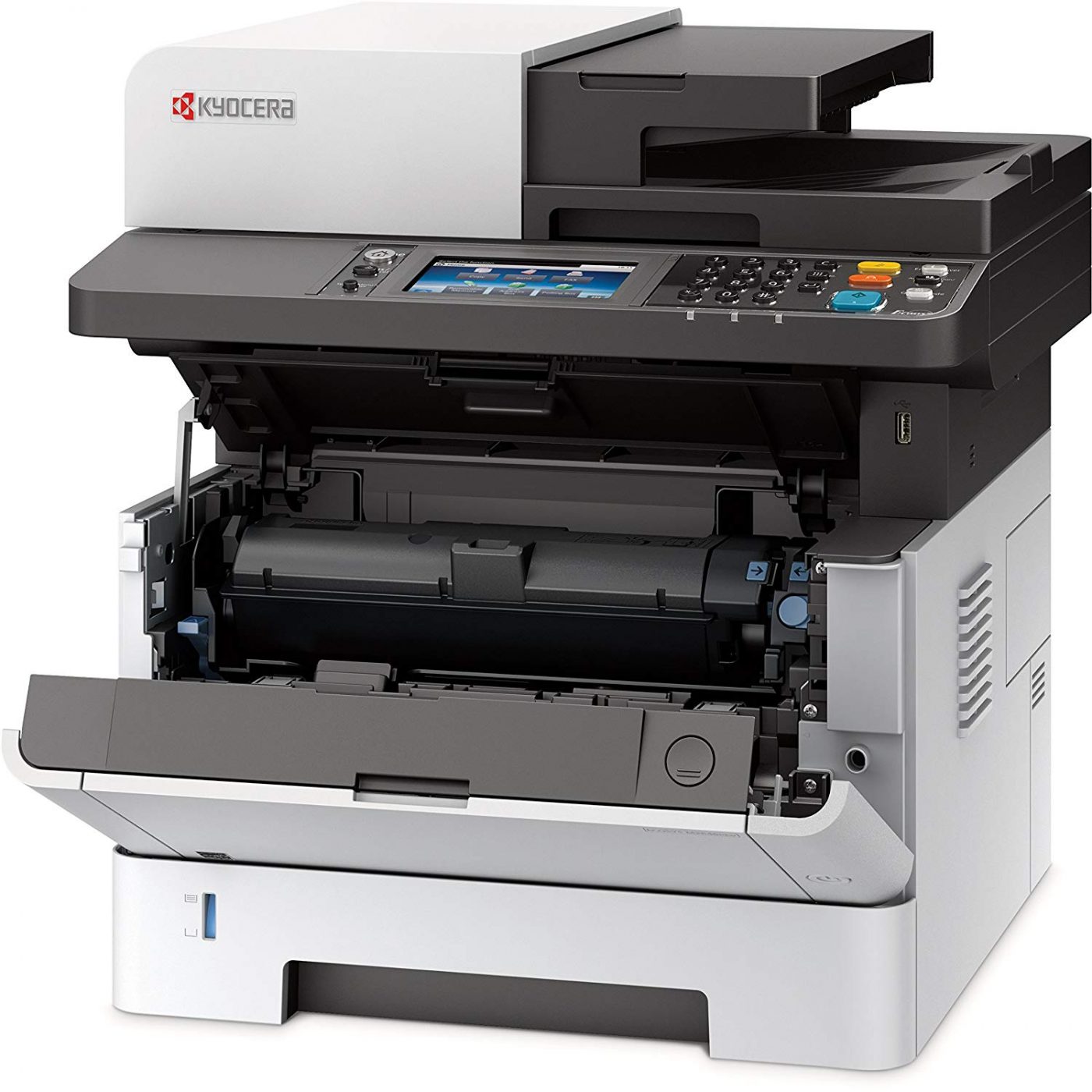
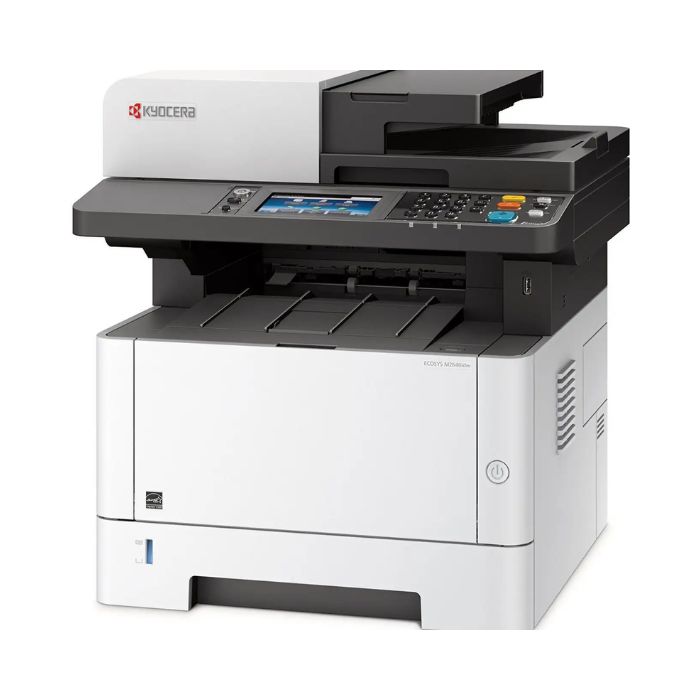
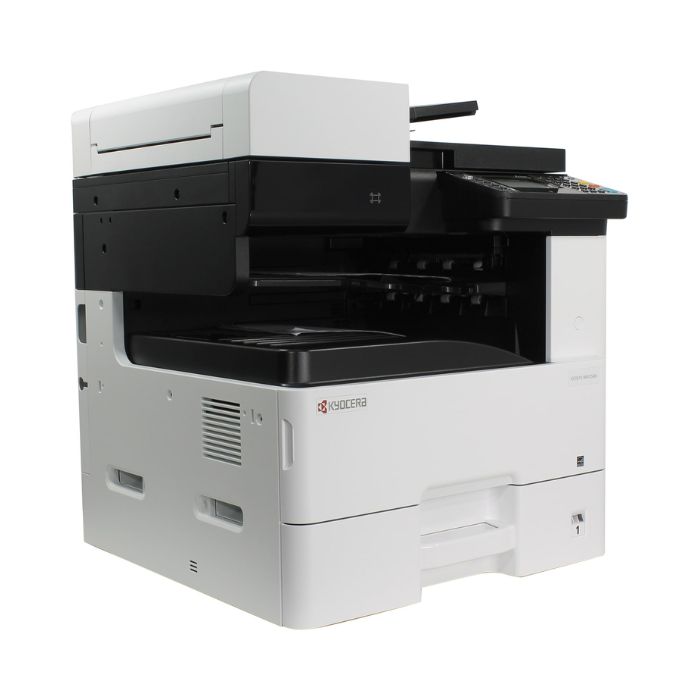
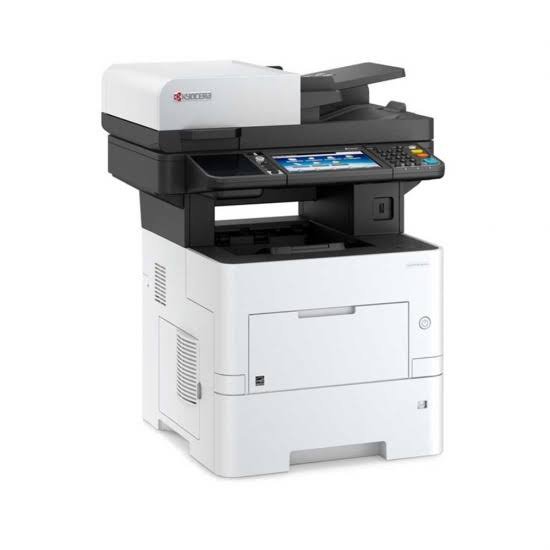
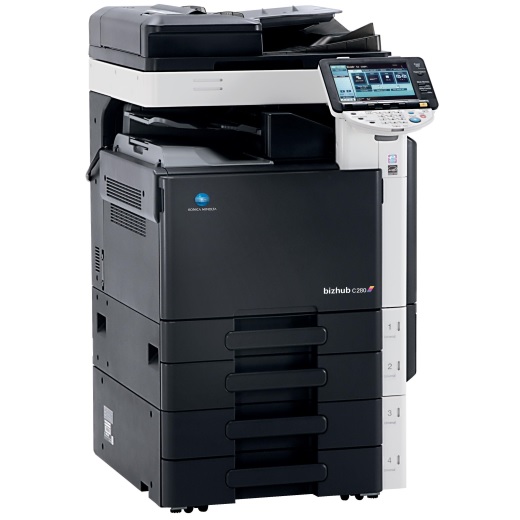
The Kyocera Ecosys M2640idw is a versatile A4 color multifunction printer designed for modern workgroups requiring comprehensive document management with wireless flexibility. This all-in-one device combines printing, copying, scanning, and faxing capabilities with Kyocera's signature Ecosys technology featuring long-life components for reduced total cost of ownership. The standout feature is its integrated wireless connectivity (Wi-Fi and Wi-Fi Direct) alongside traditional Ethernet, making it ideal for offices with mobile workers or flexible seating arrangements. With a 7-inch color touchscreen interface, 50-page automatic document feeder, and fast 24 ppm color/black printing, the M2640idw delivers professional-grade performance in a compact footprint. Its robust 80,000-page monthly duty cycle and advanced security features make it suitable for small to medium-sized offices requiring reliable color document production with modern connectivity options.
Detailed Specifications
1. Printing Technology
- Technology: LED Array Color Printing System
- Print Method: Electro-photographic process with LED exposure
- Print Resolution: 1200 x 1200 dpi (HQ1200 quality enhancement)
- Key Advantage: Ecosys technology provides:
- Long-life drum (60,000 pages)
- Separate toner and drum design reduces waste
- Consistent color output
- Low total cost of ownership
2. Print Performance
- Print Speed:
- Black: Up to 24 pages per minute
- Color: Up to 24 pages per minute
- First print out: Less than 9.5 seconds (black), less than 11.5 seconds (color)
- Warm-up Time: Less than 25 seconds from sleep mode
- Print Resolution:
- Maximum: 1200 x 1200 dpi
- HQ1200: Enhanced image quality technology
- 600 x 600 dpi standard
- Processor & Memory:
- Processor: 1.2 GHz dual-core
- Standard Memory: 2 GB (expandable to 6 GB)
- Hard Drive: 160 GB (user data area: 80 GB)
3. Copy Functions
- Copy Speed:
- Black: Up to 24 copies per minute
- Color: Up to 24 copies per minute
- Copy Resolution: Up to 600 x 600 dpi
- Copy Features:
- Reduce/Enlarge: 25% to 400%
- Auto Duplex Copying
- N-up copying (2/4/8/16 pages per sheet)
- ID card copying (front and back on single page)
- Book copy with edge erase
- Background removal and text emphasis
4. Scan Functions
- Scanner Type: Flatbed + 50-sheet Automatic Document Feeder (ADF)
- Scan Resolution:
- Optical: 600 x 600 dpi
- Enhanced: Up to 9600 dpi (software enhanced)
- ADF Capacity: 50 sheets (single pass duplex scanning)
- Scan Speed:
- Black: Up to 45 images per minute (simplex), 90 ipm (duplex)
- Color: Up to 35 images per minute (simplex), 70 ipm (duplex)
- Scan Features:
- Scan to Email, FTP, SMB, USB
- Scan to Cloud services (Google Drive, Dropbox, OneDrive)
- OCR (Optical Character Recognition) capability
- Advanced PDF creation (searchable PDF, PDF/A, PDF with encryption)
- Scan to smartphone/tablet via Kyocera Mobile Print
5. Fax Capabilities
- Fax Type: Super G3 digital fax
- Transmission Speed: Approximately 3 seconds per page
- Compression: MH/MR/MMR/JBIG
- Resolution: Standard/Fine/Superfine
- Memory Capacity: Up to 1,000 pages
- Broadcast Fax: Send to up to 500 locations
- Internet Fax: Supported (optional)
- Delayed Transmission: Program up to 10 different transmission times
6. Paper Handling
- Standard Configuration:
- Multi-purpose tray: 100 sheets
- Paper tray 1: 250 sheets
- Paper tray 2: 250 sheets
- Output tray: 250 sheets (face-down)
- Optional Expansion:
- Additional 500-sheet tray (optional)
- Total maximum: 1,300 sheets
- Supported Paper Sizes:
- A4, A5, A6, B5, B6
- Letter, Legal, Executive, Folio
- Envelopes: DL, COM10, C5, C6
- Custom sizes: 76 x 127 mm to 216 x 356 mm
- Supported Media Types:
- Plain paper (60-105 g/m²)
- Heavy paper (up to 220 g/m²)
- Recycled paper
- Labels, envelopes, card stock
- Transparency films
- Automatic Duplex: Standard (printing, copying, scanning)
7. Toner System
- Toner Cartridges:
- Black: TK-5220 (6,000 pages at 5% coverage)
- Cyan/Magenta/Yellow: TK-5221 (5,000 pages each at 5% coverage)
- High-Yield Options:
- Black: TK-5220H (12,000 pages)
- Color: TK-5221H (10,000 pages each)
- Drum Unit: DS-5220 (60,000 pages)
- Toner Save Mode: Yes (up to 40% toner savings)
- Key Features:
- Long-life drum reduces maintenance frequency
- Separate color cartridges (replace only what's empty)
- Low melting point toner for energy efficiency
- Auto toner replenishment notification
8. Connectivity
- Standard Connectivity:
- Ethernet: 10/100/1000Base-TX
- USB 2.0: Device and host ports
- Wi-Fi: 802.11a/b/g/n/ac
- Wi-Fi Direct: Device-to-device connection
- Mobile Printing:
- Kyocera Mobile Print (iOS/Android)
- Apple AirPrint
- Google Cloud Print
- Mopria Print Service
- Chromebook printing
- Network Protocols:
- TCP/IP, IPv4, IPv6
- HTTP, HTTPS, FTP, SMTP, LDAP
- SNMP, SMB, WebDAV
9. Display & Controls
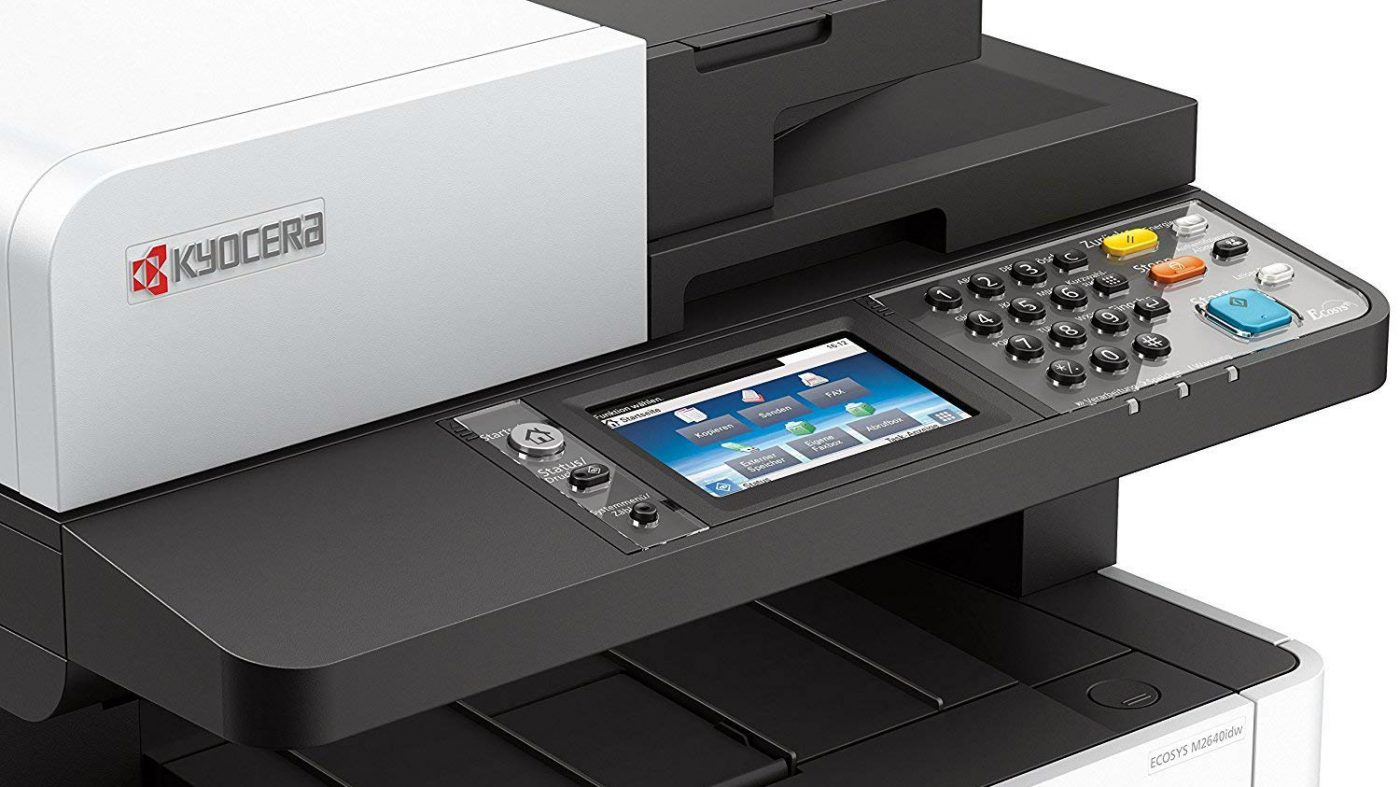
- Display: 7-inch color touchscreen LCD
- Control Panel:
- Touchscreen interface with customizable home screen
- Physical Start/Stop buttons
- Numeric keypad for fax and direct entry
- LED status indicators
- User Interface Features:
- Multi-language support (over 30 languages)
- Customizable shortcut keys and workflows
- Status monitoring and alerts
- Troubleshooting guidance with animated help
- User authentication interface
10. Physical Specifications
- Dimensions (W x D x H):
- Basic unit: 605 x 620 x 671 mm
- With paper trays: 605 x 720 x 671 mm
- Weight: Approximately 42.5 kg (without toner)
- Power Consumption:
- Printing: Approx. 1.2 kW
- Copying: Approx. 1.2 kW
- Ready: Approx. 90W
- Sleep: Approx. 2.3W
- Auto-off: Approx. 0.5W
- Noise Level:
- Printing: Less than 55 dB(A)
- Standby: Less than 35 dB(A)
11. Software & Compatibility
- Operating Systems:
- Windows 7, 8, 10, 11
- Windows Server 2008-2022
- macOS 10.12 or later
- Linux (CUPS, LPD/LPRng)
- Included Software:
- Kyocera Command Center RX
- Kyocera Print Supervisor
- PageScope Direct Print
- Kyocera Net Viewer
- Security Features:
- User authentication (local, network, card)
- Secure Print, Encrypted PDF
- IPsec, SSL/TLS encryption
- Data encryption on hard drive
- Automatic data overwrite
Cost Analysis & Value Proposition
Initial Investment vs. Long-term Savings:
- Mid-range Investment: Competitive for color multifunction printers
- Cost Per Page (CPP):
- Black: Approximately $0.008-$0.012 per page
- Color: Approximately $0.06-$0.09 per page
- Total Cost of Ownership: Lower than competitors due to long-life components
- Value Proposition: Enterprise features with workgroup pricing and wireless flexibility
Consumable Economics:
- Black Toner (6K): $70-90 per cartridge
- Color Toner (5K each): $90-120 per cartridge
- High-Yield Black (12K): $120-150 per cartridge
- High-Yield Color (10K each): $150-180 per cartridge
- Drum Unit (60K): $180-220 per unit
Target Market & Use Cases
Ideal For:
- Small to Medium Offices: 5-25 user workgroups
- Modern Work Environments: Offices with mobile workers, hot-desking
- Educational Institutions: School offices, university departments
- Healthcare Practices: Clinic offices, medical records
- Creative Agencies: Marketing materials, client presentations
- Legal & Accounting Firms: Professional documents, client materials
Monthly Volume Recommendations:
- Optimal Range: 2,000-15,000 pages per month
- Maximum Capacity: Up to 80,000 pages per month
- Color vs. Black Ratio: Optimal 20-40% color pages
Setup & Maintenance
Initial Setup Process:
- Toner & Drum Installation: 15-20 minutes (four cartridges + drum)
- Network Configuration: Guided setup via touchscreen (wired/wireless)
- User Authentication Setup: Configure user accounts and permissions
- Mobile Printing Setup: Configure Wi-Fi Direct and mobile apps
- Software Installation: 30-45 minutes for complete software suite
Ongoing Maintenance:
- Regular Maintenance:
- ADF cleaning: Monthly
- Scanner glass cleaning: Weekly
- Exterior cleaning: As needed
- Firmware updates: Quarterly
- Component Replacement:
- Toner: Every 5,000-12,000 pages (depending on yield)
- Drum: Every 60,000 pages
- Maintenance kit: Every 150,000 pages
Comparison with Similar Models
vs. Kyocera Ecosys M2540dn:
- M2640idw Advantages: Wireless connectivity, larger display, faster processor, more memory
- M2540dn Advantages: Lower cost, similar core functionality without wireless
vs. Canon imageRUNNER ADVANCE C3530i:
- Kyocera Advantages: Wireless standard, longer drum life, lower CPP, larger touchscreen
- Canon Advantages: Different color technology, optional finisher options, faster scan speeds
vs. HP Color LaserJet Pro MFP M479fdw:
- Kyocera Advantages: Higher duty cycle, longer component life, lower operating costs
- HP Advantages: Faster first page out, more compact design, simpler user interface
Common Issues & Troubleshooting
1. Wireless Connectivity Issues:
- Wi-Fi Connection Drops: Check router settings, update firmware, reduce interference
- Mobile Printing Failures: Verify Wi-Fi Direct setup, check app permissions
- Network Switching Problems: Ensure proper configuration when switching between wired/wireless
2. Color Print Quality Issues:
- Color Registration Problems: Run auto color registration adjustment
- Color Inconsistency: Perform color calibration, check toner levels
- Bandings or Streaks: Clean corona wires, replace drum if necessary
3. ADF & Scanning Problems:
- ADF Paper Jams: Clean rollers, adjust paper guides, use recommended paper
- Poor Scan Quality: Clean scanner glass and ADF rollers, adjust scan settings
- Duplex Scan Failures: Check ADF duplex unit, clean sensors
Environmental Benefits
Sustainability Features:
- Ecosys Technology: Long-life components reduce electronic waste
- Energy Efficiency: Energy Star certified, low power consumption modes
- Toner Save Mode: Reduces toner consumption by up to 40%
- Duplex Functions: Standard duplex printing/copying/scanning reduces paper use
- Recyclable Components: Toner cartridges and parts designed for recycling
- Low-emission Design: Meets international environmental standards
Warranty & Support
Standard Coverage:
- Warranty Period: 1-year or specific page count (whichever comes first)
- Service Plans: Optional maintenance agreements and extended warranties
- Technical Support: Phone support, online chat, remote diagnostics
- On-site Service: Available through authorized service providers
Final Recommendation
Buy the Kyocera Ecosys M2640idw If:
- You need a complete color multifunction solution with wireless flexibility
- Your office has mobile workers or flexible seating arrangements
- You print 2,000-15,000 pages per month with 20-40% color content
- Low total cost of ownership is important for your budget
- You need professional color quality for marketing or client materials
- Advanced security features and user authentication are required
- You want a modern 7-inch touchscreen interface for easy operation
Consider Alternatives If:
- You print less than 1,000 pages monthly (smaller MFP may suffice)
- You only need black and white printing (monochrome models available)
- Wireless connectivity is not required (consider M2540dn for cost savings)
- You need A3 printing capability (consider A3 models)
- Budget is extremely constrained (lower-cost color MFPs available)
- You require advanced finishing like stapling or hole punching (optional on some models)
Bottom Line:
The Kyocera Ecosys M2640idw is a well-rounded A4 color multifunction printer that successfully bridges the gap between traditional office printers and modern mobile work environments. Its integrated wireless connectivity (both Wi-Fi and Wi-Fi Direct) makes it particularly valuable for contemporary offices with flexible workspaces, mobile employees, or bring-your-own-device policies. Beyond connectivity, it delivers solid performance with 24 ppm color/black printing, comprehensive copying/scanning/faxing capabilities, and Kyocera's reliable Ecosys technology with long-life components that keep operating costs predictable. The 7-inch color touchscreen provides an intuitive user experience, while enterprise-grade security features ensure document protection. For small to medium-sized offices needing reliable color document production with the flexibility of wireless connectivity and reasonable operating costs, the M2640idw represents a compelling choice that balances features, performance, and value.