Executive Summary
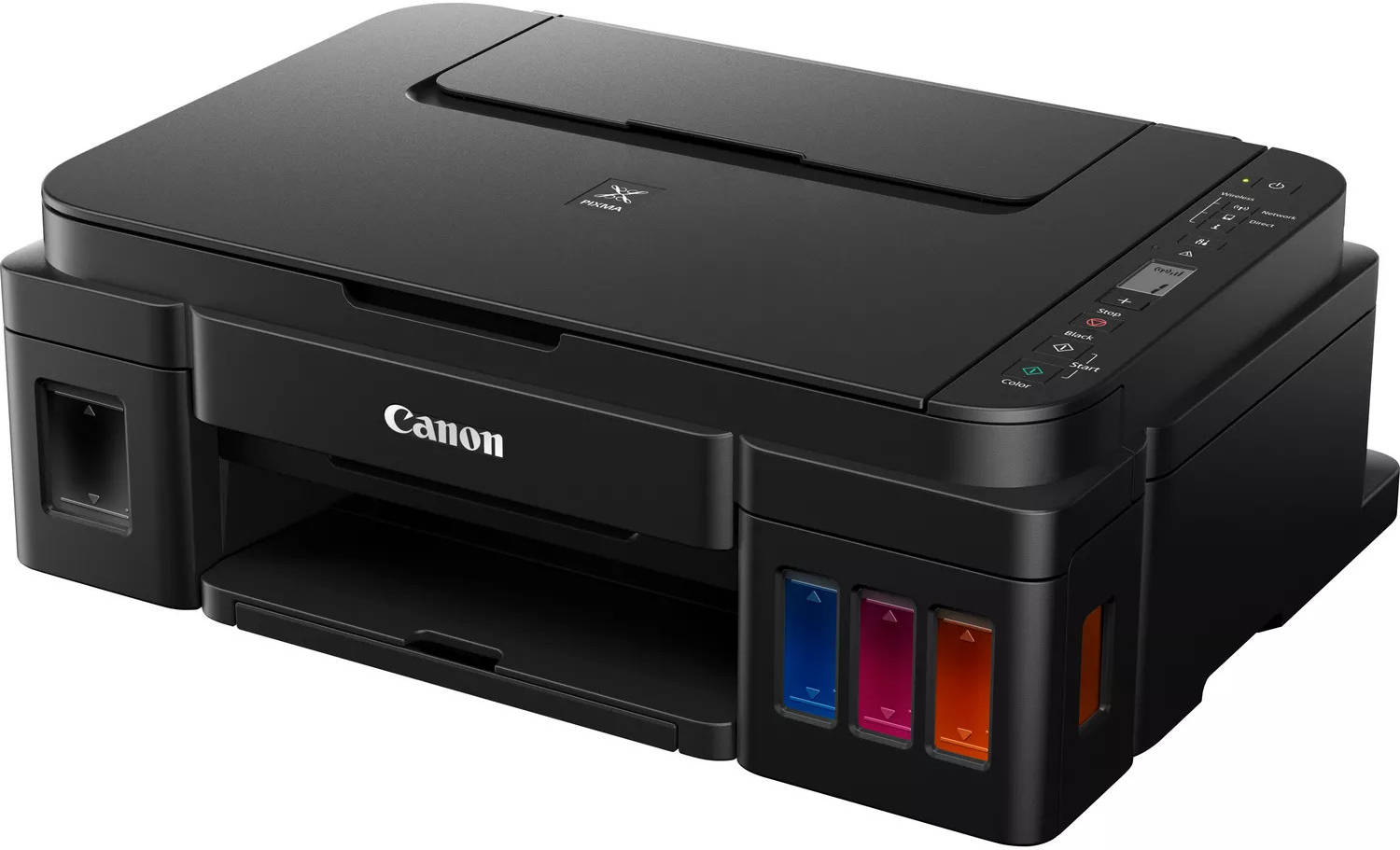
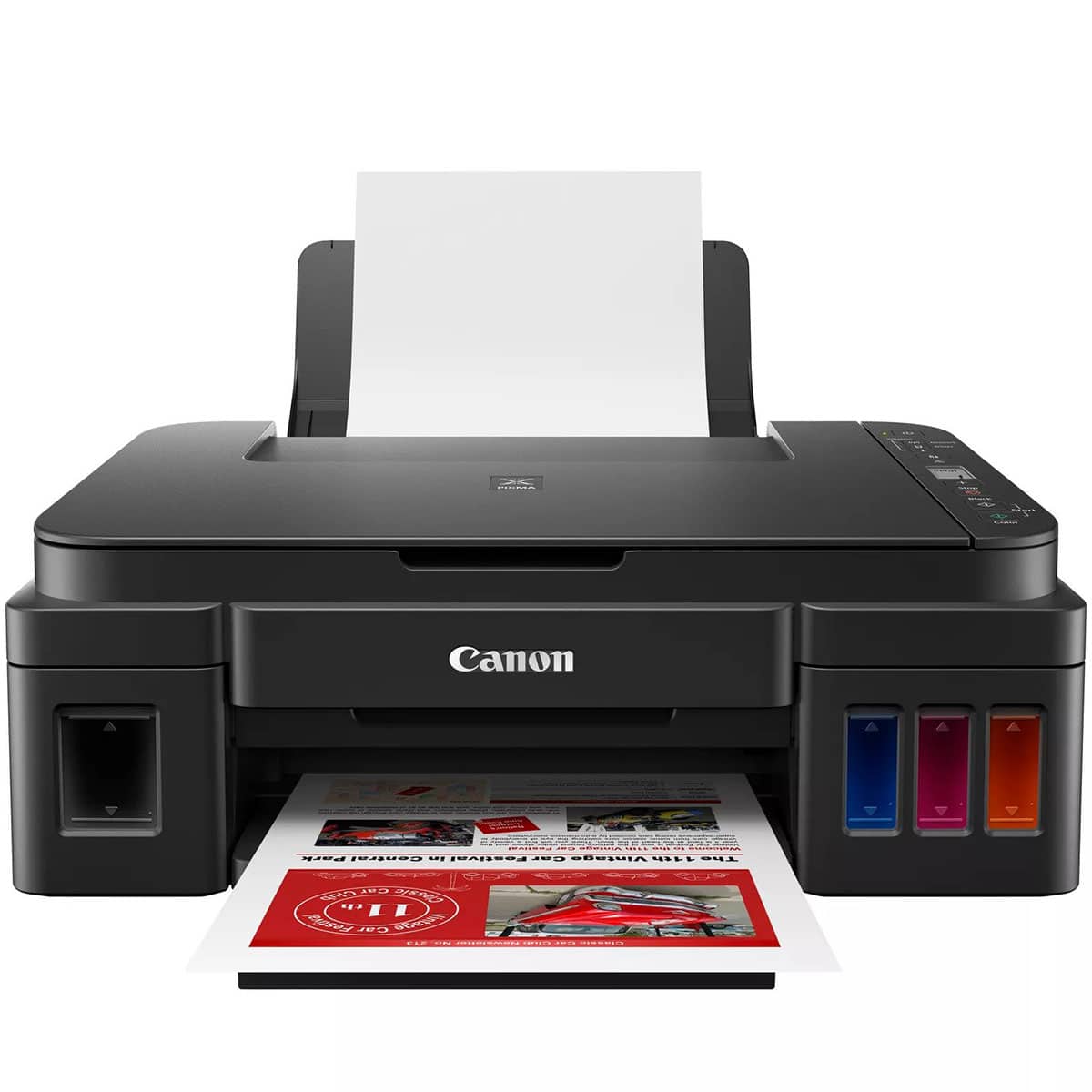
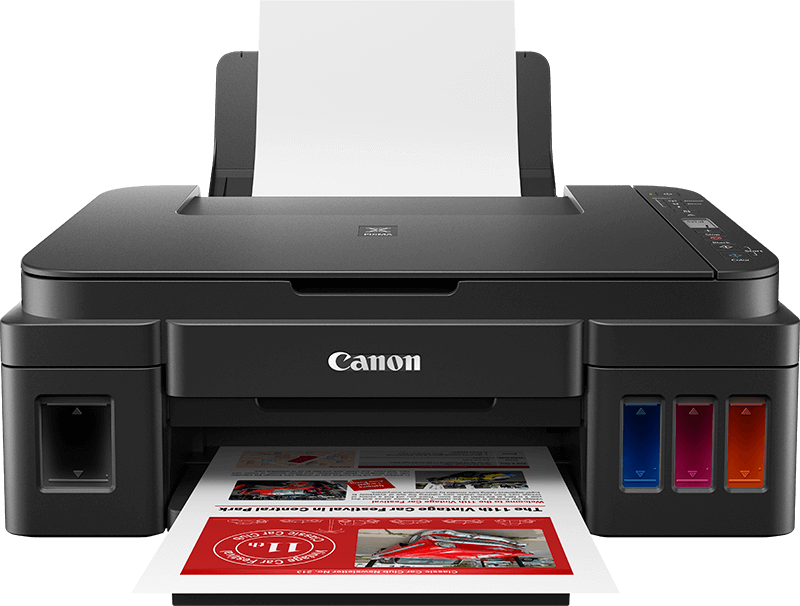
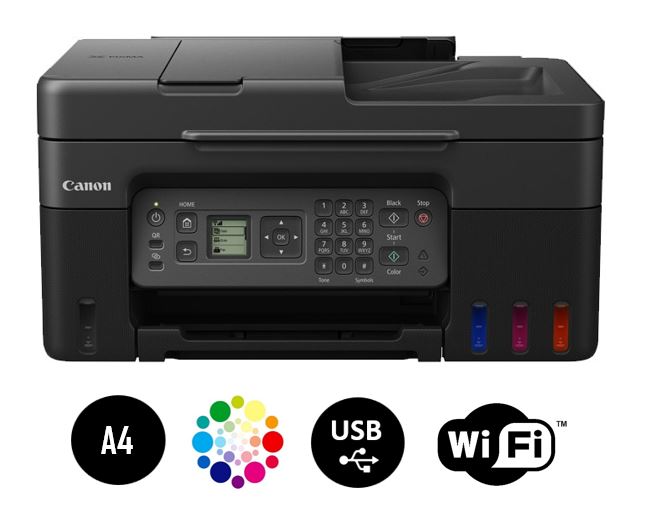
The Canon PIXMA G3410 is an entry-level all-in-one ink tank printer designed for home users, students, and small offices seeking an affordable, low-cost-per-page printing solution. As part of Canon's MegaTank series, it features an integrated ink tank system that uses refillable bottles instead of traditional cartridges, dramatically reducing printing costs. This wireless-capable printer offers basic print, scan, and copy functions with a 20-page Automatic Document Feeder (ADF), making it suitable for multi-page document handling. With its straightforward design, easy setup, and Canon's reputation for print quality, the G3410 targets budget-conscious users who need reliable, cost-effective printing for everyday documents, school assignments, and occasional photos.
Detailed Specifications
1. Printing Technology
- Technology: Canon FINE (Full-photolithography Inkjet Nozzle Engineering) print head
- Print Head Type: Integrated print head with nozzles:
- Black: 320 nozzles
- Color (Cyan, Magenta, Yellow): 1,536 nozzles total (512 per color)
- Ink Droplet Size: As small as 2pl (picoliters)
- Printing Method: On-demand inkjet (thermal bubble jet)
- Key Advantages:
- High nozzle density for precise printing
- Integrated design (print head not user-replaceable)
- Consistent drop ejection technology
2. Print Performance
- Print Speed (ISO/IEC 24734):
- Black: Approximately 8.8 images per minute
- Color: Approximately 5.0 images per minute
- First Print Out Time:
- Black: Approximately 14 seconds
- Color: Approximately 19 seconds
- Print Resolution:
- Maximum: 4800 x 1200 dpi
- Standard: 600 x 600 dpi (for text documents)
- Print Quality Features:
- Canon ChromaLife 100+ ink system
- Smudge-resistant prints
- Fade-resistant up to 100 years (under specific conditions)
- Auto Photo Fix II for enhanced photo printing
- Borderless Printing: Yes (up to 216mm/A4 width)
3. Scan & Copy Functions
Scan Specifications:
- Scanner Type: Flatbed + ADF (Automatic Document Feeder)
- Scan Method: CIS (Contact Image Sensor)
- Optical Resolution: 600 x 600 dpi
- Enhanced Resolution: Up to 19200 dpi (software enhanced)
- Color Depth: 48-bit input / 24-bit output
- ADF Capacity: 20 sheets (up to Legal size)
- ADF Paper Weight: 64-105 g/m²
- Scan Features:
- One-touch scanning to PC
- Scan to email
- Scan to cloud (requires Canon PRINT app)
- OCR capability with compatible software
Copy Specifications:
- Copy Speed:
- Black: Approximately 5.0 cpm (single), 2.0 cpm (duplex)
- Color: Approximately 2.5 cpm (single), 1.0 cpm (duplex)
- Copy Resolution: 600 x 600 dpi
- Copy Features:
- Reduce/Enlarge: 25% to 400%
- Auto Fit to Page
- N-up copying (2/4/8/16 pages per sheet)
- ID card copying (front and back on single page)
- Multiple copies: Up to 99 copies
4. Ink System (MegaTank Technology)
- Ink System Type: Integrated refillable ink tanks
- Ink Bottles Included:
- Black GI-81: 135 ml (one bottle)
- Cyan GI-81C: 70 ml (one bottle)
- Magenta GI-81M: 70 ml (one bottle)
- Yellow GI-81Y: 70 ml (one bottle)
- Page Yield (ISO/IEC 24711):
- Black: Approximately 6,000 pages (at 5% coverage)
- Color (each): Approximately 7,700 pages (at 5% coverage each)
- Ink Type: Dye-based ink (ChromaLife 100+)
- Refill Process:
- Color-coded bottles for easy identification
- Mess-free funnel system
- Transparent tanks with level indicators
- Integrated ink tanks (not removable)
- Cost Per Page Estimate:
- Black: Approximately $0.002 per page
- Color: Approximately $0.008 per page
5. Paper Handling
- Input Capacity:
- Main tray: 100 sheets (A4/Legal/Letter)
- ADF: 20 sheets
- Output Capacity: 50 sheets (face-down)
- Supported Paper Sizes:
- A4, A5, B5, Letter, Legal, Executive
- Envelopes: #10, DL, C6
- Photo sizes: 4x6", 5x7", 8x10"
- Custom sizes: Minimum 89 x 89 mm
- Supported Media Types:
- Plain paper (64-105 g/m²)
- Photo paper (Glossy, Matte, Semi-gloss)
- Envelopes
- Labels
- Card stock (up to 275 g/m²)
- Automatic Duplex: Yes (manual duplex support via driver)
- Paper Handling Features:
- Manual feed slot (rear)
- Paper edge guides
- Auto power on/off when paper is loaded/removed
6. Connectivity
- Wireless:
- Wi-Fi 802.11b/g/n (2.4 GHz only)
- Wi-Fi Direct for device-to-printer connection
- Wireless setup wizard
- Wired: USB 2.0 Hi-Speed (Type B)
- Mobile Printing Support:
- Canon PRINT Inkjet/SELPHY app (iOS/Android)
- Apple AirPrint
- Mopria Print Service
- Google Cloud Print (until service discontinuation)
- Network Printing: Wireless LAN connection to multiple devices
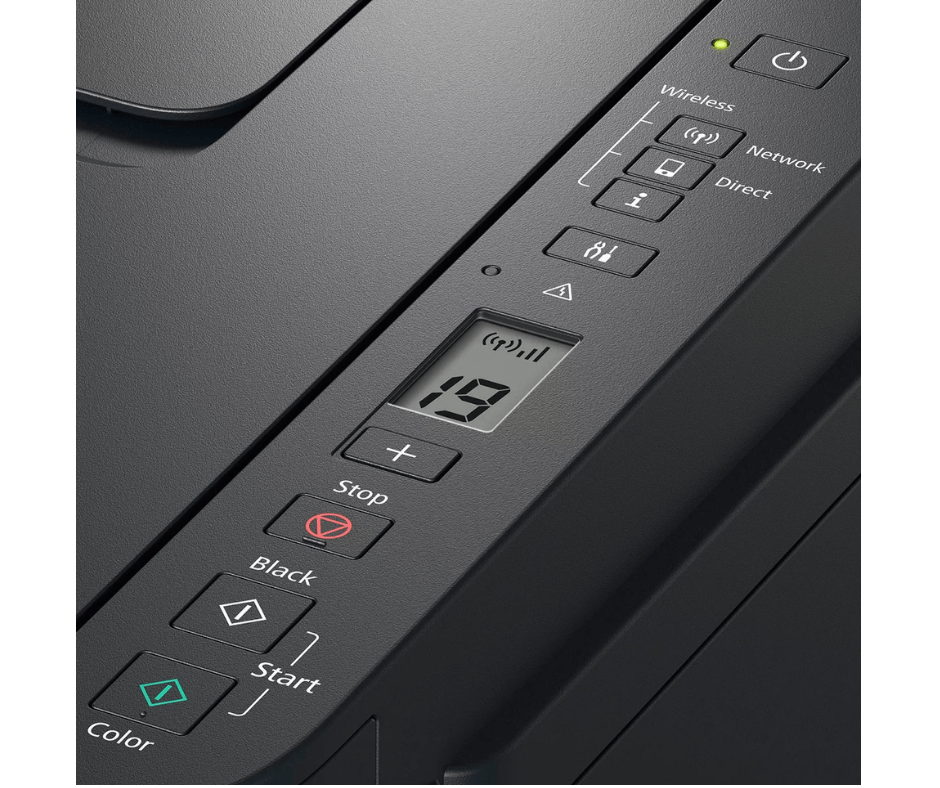
7. Display & Controls
- Display: 1-line monochrome LCD (16-segment)
- Control Panel:
- Physical buttons: Power, Stop, Wireless, Black Copy, Color Copy
- LED indicators: Power, Wireless, Error
- Simple navigation buttons
- Ink Level Indicators:
- Transparent ink tanks with visible levels
- Software-based monitoring via Canon PRINT app
- Low ink warning via printer software
- User Interface Features:
- Basic setup via LCD display
- Wireless setup button
- Status monitoring via software
8. Physical Specifications
- Dimensions (W x D x H):
- With trays closed: 445 x 330 x 263 mm
- With trays open: 445 x 585 x 263 mm
- Weight: 6.2 kg (without ink)
- Power Requirements: AC 100-240V, 50/60Hz
- Power Consumption:
- Printing: Approx. 13W
- Standby: Approx. 1.2W
- Sleep: Approx. 0.8W
- Auto Power Off: Approx. 0.3W
- Noise Level:
- Printing: Approx. 47.5 dB(A)
- Standby: Approx. 30 dB(A)
- Operating Conditions:
- Temperature: 5°C to 35°C
- Humidity: 10% to 90% RH (no condensation)
9. Software & Compatibility
- Operating Systems:
- Windows 10, 8.1, 8, 7 SP1 (32/64-bit)
- macOS 10.12 - 12.x
- Linux (basic printing support via CUPS)
- Included Software:
- Canon PRINT Inkjet/SELPHY app
- Canon IJ Scan Utility
- Canon My Printer
- Canon Quick Menu
- Optional Software:
- Canon Creative Park (free craft templates)
- Canon Easy-PhotoPrint Editor
Cost Analysis & Value Proposition
Initial Investment vs. Operating Costs:
- Lower Initial Cost: Competitively priced vs. cartridge printers
- Included Ink Value: Full set of ink bottles included
- Cost Per Page:
- Black: Approximately $0.002 (one of the lowest in market)
- Color: Approximately $0.008 (significantly lower than cartridges)
- Savings Comparison: 85-90% lower cost per page vs. cartridge equivalents
Replacement Ink Economics:
- Black Ink (135ml): $15-18 per bottle (6,000 pages)
- Color Ink (70ml each): $10-12 per bottle (7,700 pages each)
- Total Cost for Full Set: $35-45 (replaces ~$500+ in cartridges)
- Break-even Point: Approximately 500-700 pages of printing
Target Market & Use Cases
Ideal For:
- Home Users: Families, students, hobbyists
- Home Office Workers: Remote employees, freelancers
- Small Offices: Micro-businesses with light printing needs
- Students: School assignments, projects, notes
- Crafters: Printable crafts, templates, photos
- Budget-Conscious Users: Anyone tired of expensive cartridge replacements
Monthly Volume Recommendations:
- Optimal Range: 50-300 pages per month
- Maximum Sustainable: Up to 500 pages per month
- Duty Cycle: 3,000 pages per month (maximum rated)
Common Print Jobs:
- School assignments and projects
- Work documents and reports
- Web pages and online content
- Occasional photos (4x6" recommended)
- Forms and applications
- Labels and envelopes
Setup & Maintenance
Initial Setup Process:
- Unpacking & Preparation: 5-10 minutes
- Ink Filling: 15-20 minutes (first-time setup includes priming)
- Wireless Setup: 5-10 minutes via WPS or manual configuration
- Software Installation: 10-15 minutes via USB or download
- Total Setup Time: 30-45 minutes for first-time users
Ongoing Maintenance:
- Print Head Maintenance: Automatic cleaning cycles
- Nozzle Checks: Built-in utility via printer software
- Alignment: Automatic print head alignment
- Ink Refilling: Required every 6,000-7,700 pages
- Print Head Replacement: Not user-serviceable (requires service center)
Comparison with Similar Models
vs. Canon PIXMA G3411 (Successor Model):
- G3410 Advantages: Lower initial cost, same core functionality
- G3411 Advantages: Slightly faster print speeds, minor improvements
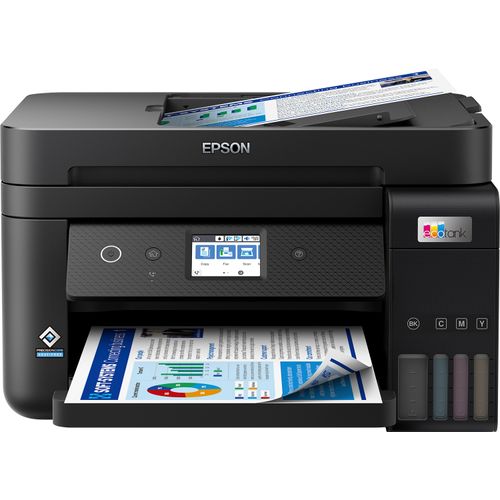
vs. Epson EcoTank L3150 (Direct Competitor):
- G3410 Advantages: Higher color page yield (7,700 vs 4,500), ADF included
- L3150 Advantages: Faster print speeds, larger ink bottles
vs. HP Smart Tank 515 (Competitor):
- G3410 Advantages: ADF included, better photo quality
- Smart Tank 515 Advantages: Faster printing, lower initial cost
vs. Brother INKvestment MFC-J4335DW:
- G3410 Advantages: Lower cost per page, better photo printing
- Brother Advantages: Fax functionality, automatic duplex
Print Quality Assessment
Text & Document Printing:
- Black Text: Sharp, crisp, professional-looking
- Font Rendering: Excellent for sizes 8pt and above
- Document Quality: Suitable for business documents, resumes, reports
- Limitations: Not laser-sharp, slight feathering on some papers
Color & Graphics Printing:
- Graphics Quality: Good for charts, graphs, presentations
- Color Accuracy: Reasonable for everyday use
- Saturation: Vibrant colors with Canon's dye-based inks
- Gradients: Smooth transitions in photos and graphics
Photo Printing:
- Best Results: On Canon Photo Paper Glossy II
- Quality Level: Good for snapshots, not for professional photography
- Dry Time: 1-2 minutes on glossy paper
- Recommendation: Use 4x6" photo paper for best results
Common Issues & Troubleshooting
1. Print Quality Problems:
- Streaking/Banding: Run nozzle check and head cleaning utility
- Faded Colors: Check ink levels, perform deep cleaning cycle
- Misalignment: Run automatic print head alignment
- Prevention: Print at least once every 2 weeks to prevent clogging
2. Connectivity Issues:
- Wi-Fi Connection Drops: Re-run wireless setup, check router distance
- Mobile Printing Failures: Ensure Canon PRINT app is updated
- USB Connection Problems: Try different USB cable or port
3. Paper Handling Problems:
- Paper Jams: Follow manual for proper clearance procedures
- Multiple Sheet Feeding: Fan paper before loading, avoid humidity
- ADF Issues: Ensure paper is within weight limits, clean ADF rollers
4. Ink System Issues:
- Ink Not Flowing: Perform print head cleaning (consumes ink)
- Ink Level Inaccurate: Reset ink levels via printer software
- Leaks or Spills: Ensure bottles are properly seated during refill
Environmental Considerations
Sustainability Features:
- Waste Reduction: 90% less plastic waste vs. cartridge systems
- Recyclable Components: Ink bottles and packaging materials
- Energy Efficiency: Auto Power Off feature
- Longevity: Durable construction for extended lifespan
Eco-Friendly Aspects:
- REACH compliant (EU chemical regulations)
- RoHS compliant (Restriction of Hazardous Substances)
- Energy Star certified (where applicable)
Warranty & Support
Standard Coverage:
- Warranty Period: 1-year limited warranty (varies by region)
- Technical Support: Phone and online support available
- Online Resources: Canon knowledge base, driver downloads
Service Options:
- Carry-In Service: Available at authorized service centers
- Extended Warranty: Optional extensions may be available
- Community Support: Active user forums and communities
Pros & Cons Summary
Advantages:
- Extremely low cost per page
- Ink bottles included in box
- ADF for multi-page scanning/copying
- Wireless connectivity with mobile printing
- Good print quality for everyday use
- Borderless photo printing capability
- Easy ink refill system
- Compact footprint for an all-in-one
Limitations:
- Slow print speeds compared to newer models
- Basic monochrome LCD display
- No Ethernet port (Wi-Fi only for network)
- No automatic duplex printing (manual only)
- Print head not user-replaceable
- Limited to 2.4GHz Wi-Fi (no 5GHz support)
- Average photo print quality (not for professionals)
Final Recommendation
Buy the Canon PIXMA G3410 If:
- You want the absolute lowest cost per page
- You print 50-300 pages per month
- You need scanning/copying with document feeder
- You want wireless printing from multiple devices
- You print occasional photos (not professional quality)
- You're tired of expensive ink cartridge replacements
- You have basic printing needs (documents, school work, web pages)
Consider Alternatives If:
- You need fast printing speeds (look at newer G-series models)
- You print high-volume (500+ pages monthly)
- You need Ethernet connectivity for office network
- You require automatic duplex printing
- You're a photography enthusiast needing premium photo quality
- You need fax functionality
- Space is extremely limited (consider single-function models)
Bottom Line:
The Canon PIXMA G3410 represents exceptional value for budget-conscious users who prioritize low operating costs over speed and premium features. Its MegaTank ink system delivers remarkably inexpensive printing, with costs as low as $0.002 per black page. While it lacks the speed and some features of more expensive models, it includes essential functions like wireless printing, ADF scanning/copying, and borderless photo printing. For home users, students, and small offices with light to moderate printing needs, the G3410 offers a compelling combination of low cost, adequate performance, and Canon's reliable print quality. Just be prepared for slower print speeds and understand that this is an entry-level model designed primarily for cost savings rather than performance or premium features.